SETUP ACTIVATION

Here is a clear and simple IPTV setup guide for Television (Smart TV / Android TV)

iptv for android tv box

IBO Player (Default)

๐Ÿ”” Downloader Code: 1171959
๐Ÿ”—ibodesk.com/iboupdate.apk

iptv for android tv box

BOB Player

๐Ÿ”” Downloader Code: 815778
๐Ÿ”—ibodesk.com/bob.apk

iptv for android tv box

IBO Player Pro ๐Ÿ†•

๐Ÿ”” Downloader Code: 923441
๐Ÿ”—ibodesk.com/iboplayerpro.apk

iptv for android tv box

KING4K Player

๐Ÿ”” Downloader Code: 862414
๐Ÿ”—ibodesk.com/king4k.apk

iptv for android tv box

IBO Pro Player ๐Ÿ†•

๐Ÿ”” Downloader Code: 6402995
๐Ÿ”—ibodesk.com/iboproplayer.apk

iptv for android tv box

IBO Pro

๐Ÿ”” Downloader Code: 474637
๐Ÿ”—ibodesk.com/iboprocode.apk

iptv for android tv box

IBOSS IPTV

๐Ÿ”” Downloader Code: 967528
๐Ÿ”—ibodesk.com/iboss.apk

iptv for android tv box

IBO XPlayer ๐Ÿ†•

๐Ÿ”” Downloader Code: 7947185
๐Ÿ”—ibodesk.com/iboxplayer.apk

IBO XPlayer, IBOSS IPTV, IBO Pro, IBO Pro Player, IBO Player Pro, KING4K Player, IBO Player (Default) - Install from Downloader on Android TV or Fire TVs

Playlist

1 Videos

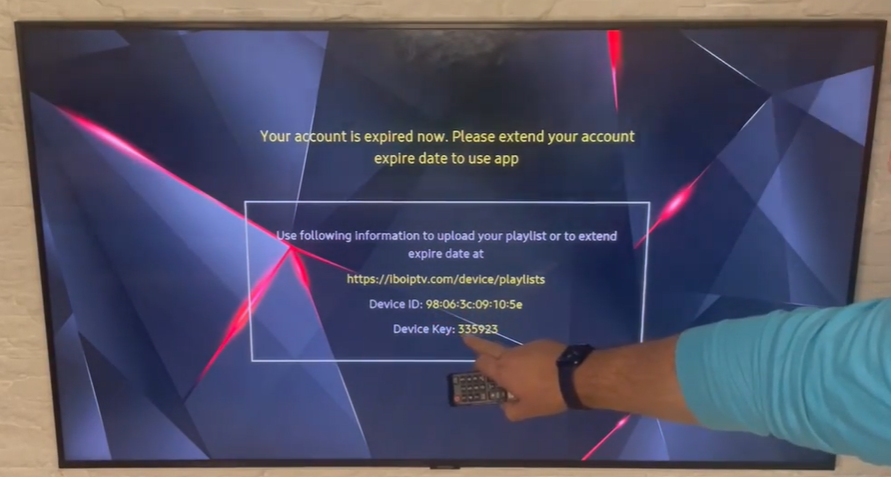
๐Ÿ“บ After Sending the Device ID & Device Key After you send us your Device ID and Device Key (as shown in the image):
โœ… Your device will be activated automatically
โณ Activation usually takes 5โ€“15 minutes
๐Ÿ”„ Please restart the app or TV after activation
๐Ÿ“ก Your channels and content will load instantly

iptv activation
๐Ÿ“บ IPTV Setup Guide on TV
๐Ÿ”น Supported IPTV Apps
  • IBO Player / IBO Apps
  • IBOXX Player
  • Duplex Play
  • Family Player
  • IBO STB
  • King4K Player
iptv for android tv box
โš™๏ธ General Installation Steps (Smart TV / Android TV)
  1. Turn on your TV and make sure it is connected to the internet.
  2. Open the App Store:
    • Samsung TV โ†’ Samsung Smart Hub
    • LG TV โ†’ LG Content Store
    • Android TV โ†’ Google Play Store
  3. Search for the IPTV app you want (e.g. IBO Player, Duplex Play, etc.).
  4. Download and install the app.
  5. Open the app after installation.
๐Ÿ”‘ App Activation & Setup
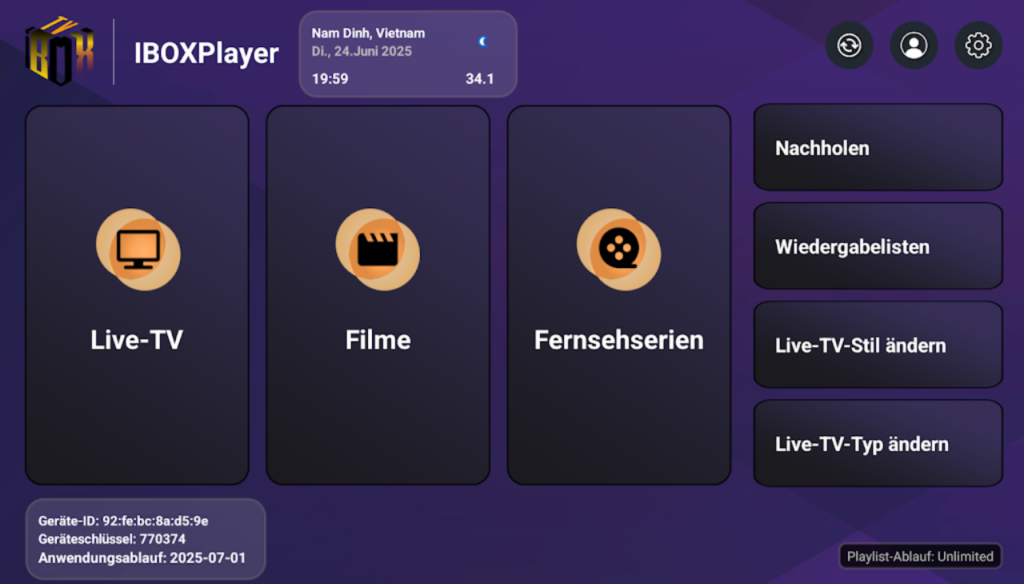
  1. When you open the app, you will see:
    • MAC Address
    • or Device ID / Device Key
  2. Take note of this information.
  3. Go to the activation website of the app (shown on the TV screen).
  4. Enter:
    • MAC Address / Device ID
    • Your M3U Playlist URL or Xtream Codes (Username, Password, Server URL)
  5. Click Activate / Save.
  6. Restart the app on your TV.
โ–ถ๏ธ Start Watching
  • After restarting, channels and VOD will load automatically.
  • Enjoy Live TV, Movies, and Series directly on your television.
iptv activation
โœ… Supported Devices
  • Android TV
  • Google TV
  • Amazon Fire TV / Firestick
โš™๏ธ Step 1: Enable Installation from Unknown Sources
๐Ÿ”น Android TV / Google TV
  1. Go to Settings
  2. Select Security & Restrictions
  3. Enable Unknown Sources
    (or: Settings โ†’ Apps โ†’ Security)
๐Ÿ”น Fire TV / Firestick
  1. Go to Settings
  2. Open My Fire TV
  3. Select Developer Options
  4. Turn ON:
    • ADB Debugging
    • Apps from Unknown Sources
๐Ÿ“ฅ Step 2: Install Downloader App
  1. Open the App Store on your TV:
    • Google Play Store (Android TV)
    • Amazon Appstore (Fire TV)
  2. Search for Downloader
  3. Install the app
๐Ÿ”‘ Step 3: Allow Browser Access (First Launch)
  1. Open Downloader
  2. When prompted, click Allow
  3. Accept permissions
โฌ‡๏ธ Step 4: Download APK Using Downloader
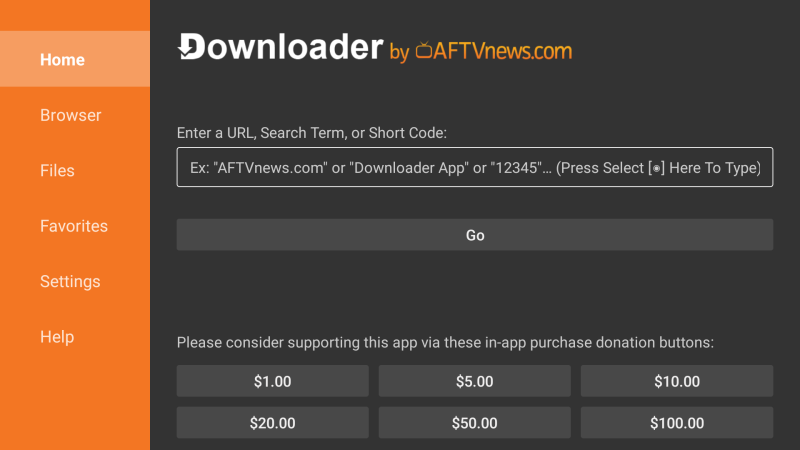
  1. In Downloader, select the URL field
  2. Enter the APK link, for example:ย  http://ibodesk.com/bob.apk
  • Press Go
  • Wait for the download to finish
  • Select Install
  • Click Done or Open
โ–ถ๏ธ Step 5: Launch the App
  • Go to Apps โ†’ Installed Apps
  • Open the installed application
  • Enjoy ๐ŸŽ‰

This is an ideal service for anyone who wants to watch their favorite programs anywhere in the world for a minimal fees, without missing any news about his favorite team and without additional costs for equipment or installation.

Copyright ยฉ 2026 Wiki TV. All Rights Reserved.